




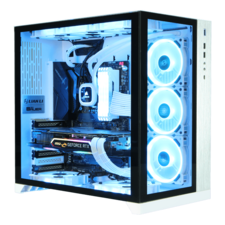





Top-rated computer repair technicians.

Get matched with top computer repair technicians in Peoria, AZ

Enter your zip and get matched with up to 5 pros

TRUSTED BY PEORIA, AZ HOMEOWNERS

  • Average homeowner rating star icon4.6
    Average homeowner rating
  • Verified reviews icon133
    Verified computer repairs reviews

Find Computer repair technicians in Peoria

Avatar for Mike's Computer Repair
Mike's Computer Repair
4.8(
870
)
Computer Repair, Troubleshooting or UpgradesComputer Repair, Troubleshooting or Upgrades - For Business

Serving Peoria, AZ and surrounding areas

Approved

In business since 1994

Free estimates

Warranties offered

"I contacted Mike today about a suspected virus on my laptop computer. Mike immediately went to work. Mike did an excellent job scanning my computer remotely and found several minor issues, but then found a trojan virus. Mike was very professional and walked me through his process of getting my laptop working as it should. My internet connection is extremely slow. However, Mike kindly worked on my computer until the work was completed. He was very patient and never complained about the extra time it took due to my slow internet. Mike also was extremely helpful and answered all of my questions. He offered assistance on how to handle backups by using external hard drives since uploading pictures and files to the Cloud doesn't work well with a slow internet service in a rural area. I am very grateful for Mike's assistance and expertise. I certainly will use his service again, and I highly recommend Mike for your computer needs."
Response time12 hrs
Response rate100%
Recommended by90%of homeowners

Avatar for The Computer Handyman, Inc.
The Computer Handyman, Inc.
5.0(
18
)
Computer Repair, Troubleshooting or UpgradesComputer Repair, Troubleshooting or Upgrades - For Business

Serving Peoria, AZ and surrounding areas

Approved

In business since 1996

Free estimates

Emergency services offered

"Doug was on time, he was friendly, he displayed complete knowledge of what we needed and answered my many questions. I have never had computer repair people offer such great follow up service and I certainly will be recommending him to anyone who needs to have this type of service."
Response time4 hrs
Recommended by100%of homeowners
Avatar for Kreo Solutions
Kreo Solutions
5.0(
88
)
Computer Repair, Troubleshooting or Upgrades

Serving Peoria, AZ and surrounding areas

Approved

Super Service Award Winner

In business since 2011

Free estimates

Warranties offered

"Maurice came to our house to resolve access issues to an older computer and printer connectivity issues to my laptop and phone., He gained access to the computer very quickly and diagnosed the issues with the keyboard. He then found problem with multiple files causing the printer connectivity issues to my laptop and phone. He cleaned up the files and I was printing again in no time. He was very professional and knowledgeable. His focus was always on customer satisfaction and ensuring I understood each step he was performing. I would highly recommend Kreo Solutions and will utilize their services for all my future computer repair needs."
Neighborhood Fave
Nextdoor Award 2024 Best Go-to service provider
Response time6 hrs
Response rate96%
10 neighbors recently requested a quote
Avatar for Onsite-IT-Solutions
Onsite-IT-Solutions
4.8(
49
)
Computer Repair, Troubleshooting or UpgradesComputer Repair, Troubleshooting or Upgrades - For Business

Serving Peoria, AZ and surrounding areas

Approved

In business since 2019

Free estimates

Credit card accepted

"Jeff Wycoff turned out to be a superior IT Specialist. I called him to fix my Windows 7 computer today that was acting up after the latest Windows update. He repaired it flawlessly. While he was fixing my computer my office called about the printer at the front office not printing. Jeff overheard me talking and said he could fix it. He did and repaired some other things flawlessly while there, then back to my computer. He asked if I would want the home computer cleaned up. I said yes and he did that including upgrading to Windows 10. All works smoothly. Jeff is very pleasant and helpful. I highly recommend Jeff Wyckoff of Onsite-IT-Solutions, LLC."
My jobs
My jobs
My jobs
MacBook Screen
Response time6 hrs
Response rate100%
23 neighbors recently requested a quote
Hurd Computer Consulting Service, LLC
4.8(
6
)
Computer Repair, Troubleshooting or UpgradesComputer Repair, Troubleshooting or Upgrades - For Business

Serving Peoria, AZ and surrounding areas

Approved

In business since 2006

Free estimates

Credit card accepted

"Very professional, When called or Text they contact right away, they are also very patient with some of us that don't really know a lot about computers, They are the perfect PC guys. I give them 10 star"
Response time1 day
Response rate86%
Recommended by100%of homeowners

Lite IT
5.0(
4
)
Computer Repair, Troubleshooting or UpgradesComputer Repair, Troubleshooting or Upgrades - For Business

Serving Peoria, AZ and surrounding areas

Approved

In business since 2023

Free estimates

Credit card accepted

"CJ helped to secure my network, computers, and phones following a security breach. He was thorough, knowledgeable, and helped me regain a safe and secure home environment for all my technology after my identity was compromised. I would trust him to help me with any of my home technology needs. I really appreciated his technical skills and support. Highly recommend."
Response time3 days
Recommended by100%of homeowners
...
Showing 1-10 of 142
Computer Repair questions, answered by experts

Yes, most repair services include operational or system testing to ensure the system is functioning properly after the work is completed. It is recommended to confirm the scope of testing with your specific contractor or provider.

Most repairs take 1-5 days, depending on the type of repair and material sourcing.

When choosing a computer repair technician, check the following to ensure you’re getting a dependable service with a reliable outcome:

  • Technician expertise

  • Technician experience

  • Price structure

  • Certifications and other qualifications

  • Positive customer reviews

  • Guarantees and warranties

  • Data protection and privacy policies

  • Mobile or on-site service

  • Reasonable turnaround time

Aim for a uniform, smooth joint to ensure a good electrical connection. If it looks crusty and uneven, your iron tip might be dirty or the joint isn’t hot enough. To keep the iron tip clean, wipe the tip with a damp sponge or brass tip cleaner when you spot black spots or rust to remove any oxidation and flux residue. Tinning the tip surface with a small amount of solder offers a layer of additional protection.

Common problems include clogged filters, low water pressure, and malfunctioning valves. Regular maintenance prevents many issues.

The Peoria, AZ homeowners’ guide to computer repairs

From average costs to expert advice, get all the answers you need to get your job done.