






Top-rated tv mount installation pros.

Best tv mount installation pros near Goddard, KS

Enter your zip and get matched with up to 5 pros

Need a pro for your tv mount installation project in Goddard, KS?

Select your specific project to find the pro for you.

TRUSTED BY GODDARD, KS HOMEOWNERS

  • Average homeowner rating star icon4.4
    Average homeowner rating
  • Verified reviews icon189
    Verified tv mount installation services reviews

Top-Rated Tv mount installation pros in Goddard - Updated Nov 2026

Avatar for Booster Tech, LLC
Booster Tech, LLC
4.9(
91
)
TV Wall MountTV Wall Mount - For Business

Serving Goddard, KS and surrounding areas

Approved

In business since 2018

Free estimates

Small jobs welcome

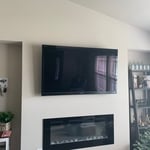
"Timely and professional. Mounted two televisions. Had to relocate power source and cable connection for one mount, so installation was more expensive than estimate. Both mounts were clean (no wires). Will not disappoint."
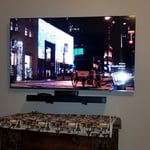
Tv install
Crestview Apartments
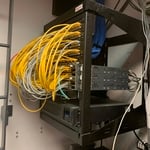
Added 6 new data drops for the IT Department

+2

Response time2 days
Recommended by98%of homeowners

Home Repair Crew LLC
New to Angi
Handyman for Multiple Small Projects

Serving Goddard, KS and surrounding areas

Approved

In business since 2023

Free estimates

Credit card accepted

We take great pride in offering the best possible experience with our expertise, quality, and customer service. In order to understand the needs and expectations of our clients; we take great care to work and communicate with everyone in a professional manner. It is our mission to exceed our clients expectations by providing excellent workmanship and complete customer satisfaction, from the start of each project to its completion. Our reputation is based on service, safety, and quality, regardless of how large or small the job.

Response time1 day
...
Showing 1-10 of 198
Tv Mount Install FAQs, answered by experts

Coax cable connects to your television, modem, or cable box. Look for a female coax connection on these devices. Your coax cable will connect to any of these. The other end of the wire runs to the service connection coming into the house.

Finding a professional to mount your television to the wall is a little challenging because no licenses exist for this type of work. You could ask friends or neighbors for recommendations. Check out online reviews, too. Typically, though, almost any local handyman can do the work. A local electronics store or the place where you bought the TV may have a recommendation for you. A local framer or drywall installer might do the work for you as well. If you need an outlet installed for the new TV, an electrician may do both items for you.

Choosing the right size of wall anchors is essential for a secure installation. The size of the wall anchors should match the size of the screws you plan to use. Follow the manufacturer's recommendations for the specific wall anchors you purchase. Typically, the packaging of the wall anchors will indicate the appropriate screw size and diameter for a proper fit.

There are a few easy ways to locate a wall stud without a stud finder. First, try knocking on the wall with your knuckles. Most parts of the wall will sound hollow, but when you tap over a stud, it will sound more solid. Alternatively, since studs are spaced 16 or 24 inches apart, you can measure those distances from a corner of the room, which will always have a stud.

If you want to enjoy your favorite movies from the comfort of your backyard or patio, you can mount a TV outside. You’ll want to be thoughtful about its location, ensuring it’s away from water and heat, like a grill or pool. Placing it under a roof, awning, or gazebo is usually a good idea as well for extra protection. Outdoor wiring does add an extra layer of complications with this project, so it may be worth it to hire an electrician to help.

The Goddard, KS homeowners’ guide to tv mount installation services

From average costs to expert advice, get all the answers you need to get your job done.