




Home Automation Xtra has more than 15 years of experience in the industry. We can assist you with all of your home automation and security needs. Our staff is knowledgeable and customer orientated.\n
TechDrive Support is a tech company that provides customer support for any issues pertaining to your computer, printer & other devices. We offers industry-leading remote technical support for software and hardware issues. We aim to simplify technology by providing end-to-end technical customer support and solutions for all your gadgets. Our Tech Advisors can remotely assist you in setting up a new computer or printer, upgrading or restoring your software and operating system, diagnosing hardware issues, and much more.\n\n24*7 remote support\nQuick resolutions\nAffordable prices\n100% customer satisfaction
Hello! Here at Everything I.P. C.C.T.V. & Computer Networking we can take care of all of your low voltage needs. We work with residential and commercial clients, and with our experience and technology we are a great choice for your security, A/V, IT, or any wiring related needs. Call now for a free estimate!
Established in 2003, I am A craftsmen in construction, and electrical work. I offer expert installation,\nmaintenance and repair services by a professional. Clean & professional, I Will offer 10% discounts\nto storm damage customers.
AB Communications provides service to the greater Mississippi area. If you want a professional & motivated company that will strive to make sure the job is done right, Use AB Communications, Inc. for all your communication needs.We service and sell NEC,Toshiba,Nortel and Avaya.
By using secure backup and encryption procedures during service.
While you can purchase a DIY phone screen replacement kit, it is generally not recommended. Replacing a phone screen is a complicated process that requires experience. Common mistakes during a DIY repair include damaging internal components when opening the phone, breaking internal pieces during removal, and failing to properly calibrate the new screen. These errors can lead to poor functionality, such as ghost touches or a partially working screen, and could even cause your phone to fail completely. For these reasons, it's best to hire a professional phone repair technician. If you make a mistake attempting the repair yourself, you may end up needing to pay a professional anyway, increasing your total cost.
The average cost to repair a cellphone is around $180, but prices can range from $50 to $500 or more depending on the type and extent of the damage. For example, repairing a cracked screen—the most common repair—typically costs between $100 and $350. Less expensive repairs, like a charging or headphone port replacement, can range from $20 to $100. Water damage repair costs vary significantly; minor damage might cost as little as $30, while severe damage can cost $500 or more and may not always be repairable. A professional phone repair technician can inspect your device and provide an accurate quote.
Fabric tears, faded material, broken frames, and malfunctioning retractable mechanisms often need professional attention.
Most smartphone repair specialists can replace your phone screen in 30 to 45 minutes, depending on the model. The repair could take longer if components under the screen are also damaged and need to be replaced. If you attempt to do the work yourself using a phone screen repair kit, set aside one to two hours to learn the correct steps and implement them carefully.
The Lambert, MS homeowners’ guide to phone repairs
From average costs to expert advice, get all the answers you need to get your job done.
Find out the cost to install a phone jack in your home. Learn about price factors, labor rates, and ways to save on your phone jack installation project.
Explore the common types of oven repairs and how much they cost based on the problem, the part, and the type of oven. This guide will tell you the average cost to repair an oven.
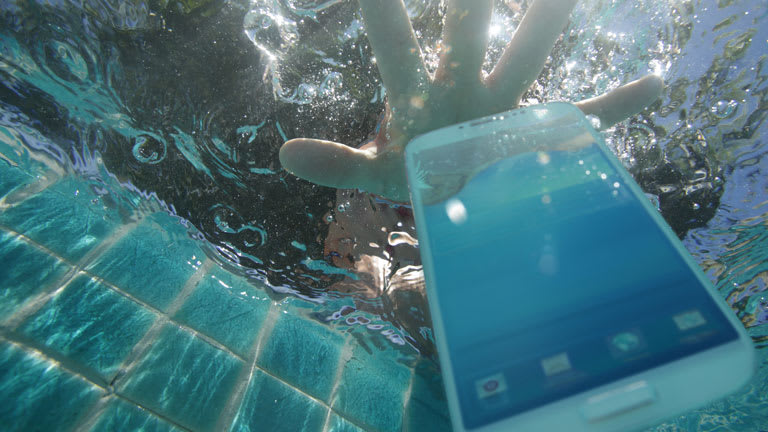
Most phone repairs come from water damage from slipping out of a pocket into the toilet or a pool. To save your phone, pluck it out quickly and don’t turn it on. Get more tips for increasing the chances of your phone surviving its dip.